Auto-suggested responses
On our Engage tier, you can opt-in for suggested draft responses to posts that are on-brand for your company and in-tune with the conversation
Written By Marc Frankel
Last updated Almost 2 years ago
⚠️ The ability to receive auto-generated suggested responses to content your Ghosts find is only available on the Engage tier
Auto-generated draft responses help speed up your social media outreach. For each piece of content your Ghosts find, the system automatically creates a suggested response that is ready to go.
These responses are not automatically posted on your behalf. You have full control over whether to use the draft responses as they are or edit them.
Turn on/off suggested responses
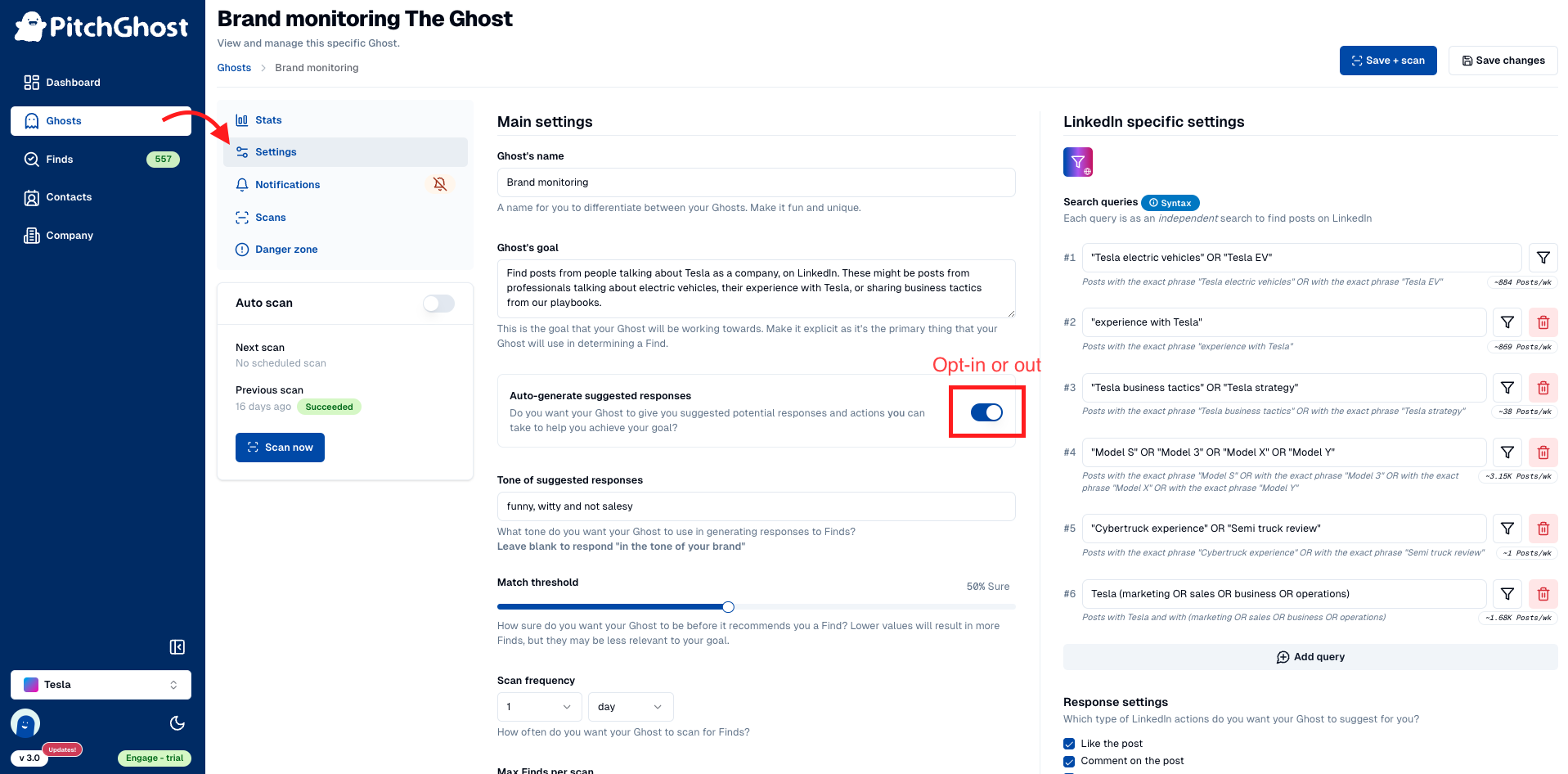
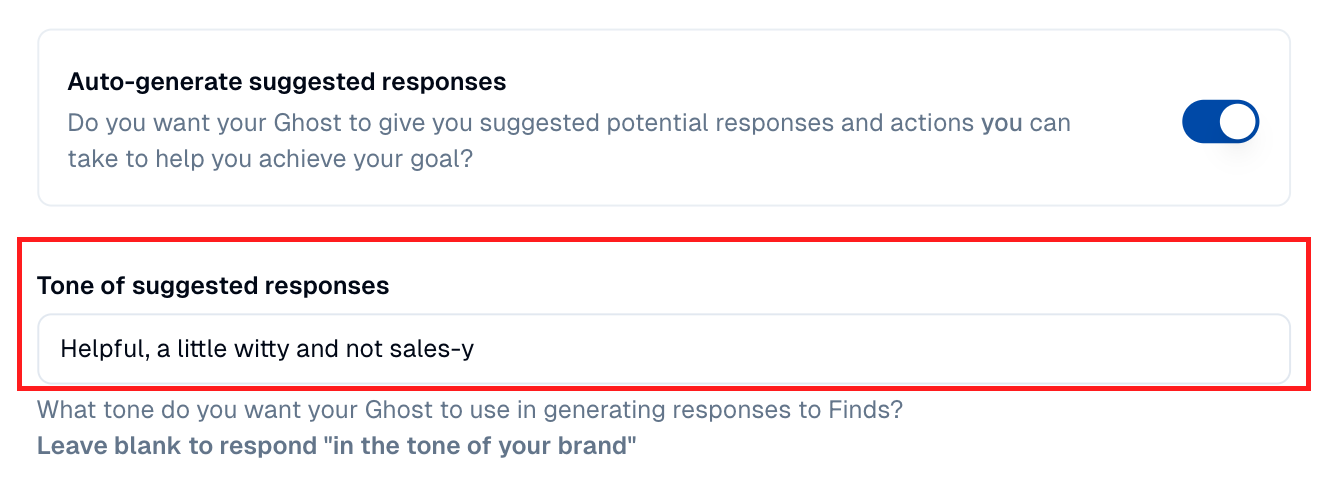
Customize the tone
You can tailor the tone of your automatically drafted responses for a more personalized touch. Each Ghost gives you the option to prompt how you want the response to sound.
Regenerating suggested responses
Draft responses are always editable, however, if you would like your Ghost to try again at regenerating the suggested response with some extra feedback you can use the regenerate action button 🔄
Improving your suggested responses
Whenever you edit a suggested draft response or write and publish a response through PitchGhost, you provide helpful training data to your Ghost. This helps it write better responses that match your writing style in the future.
For best results always respond through PitchGhost or make sure to mark your action as “taken manually” to make ensure your Ghost can learn from your style and tone. Even an action marked as “manually taken” provides your Ghost training data.
⚠️ Suggested response training is Ghost specific, so each Ghost will grow to have its own unique voice and tone