Business info
Keep your business info up to date so that your Ghosts have the context they need about your company
Written By Marc Frankel
Last updated Almost 2 years ago
Keeping your business details current on PitchGhost is important to get the best results. When you first joined, PitchGhost looked at your website to learn about your business and writing style. This information helps your Ghosts understand your business better.
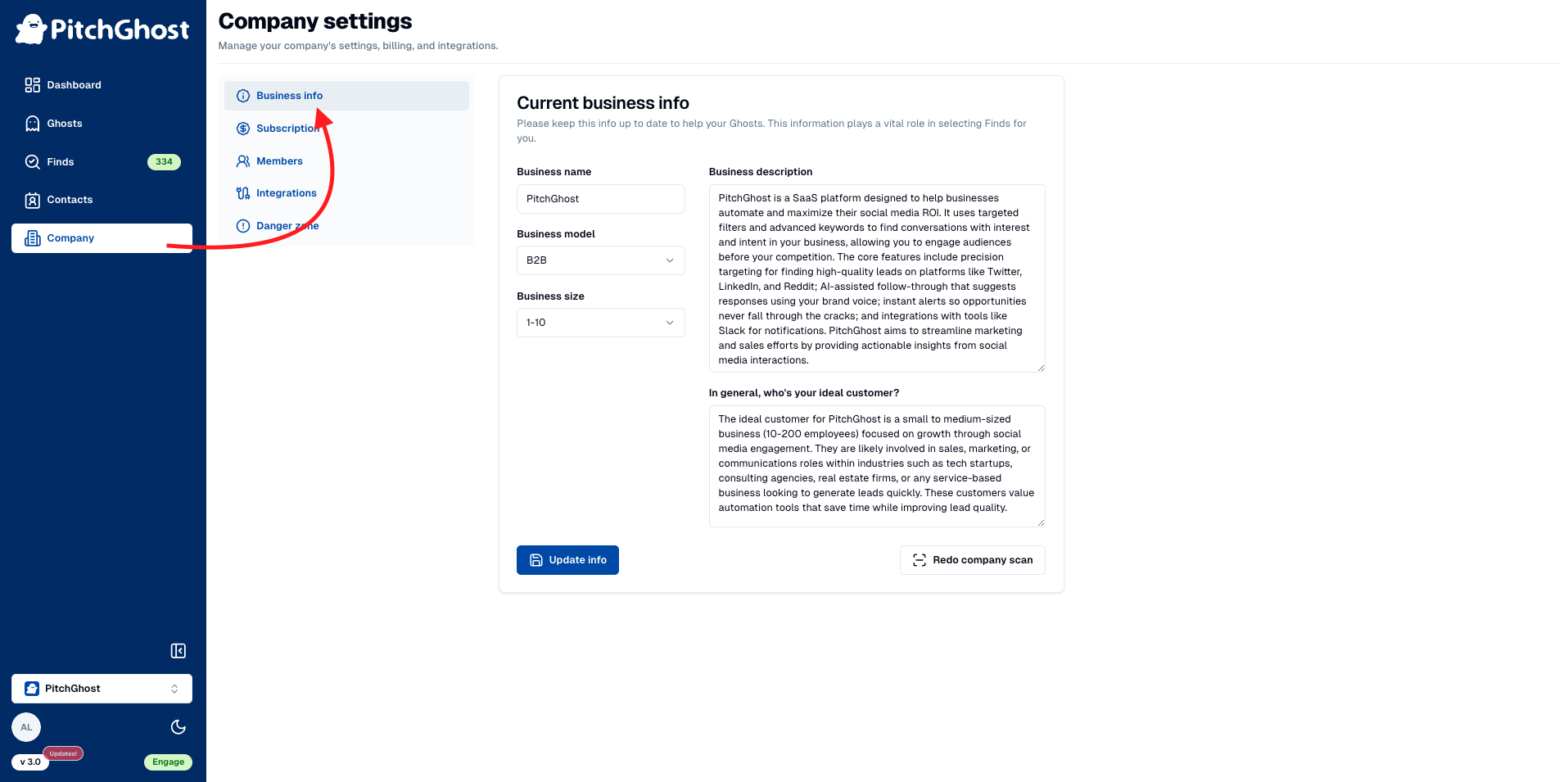
How to update business info
Navigate to
Company→Business infoon your dashboard.Update the relevant fields under
Business descriptionandIdeal customer.Click
Update infoto save changes.If your website has been updated you should have PitchGhost scan your website again. Press
Redo company scanfor PitchGhost to rescan your site and update the contextual data.